Introduction
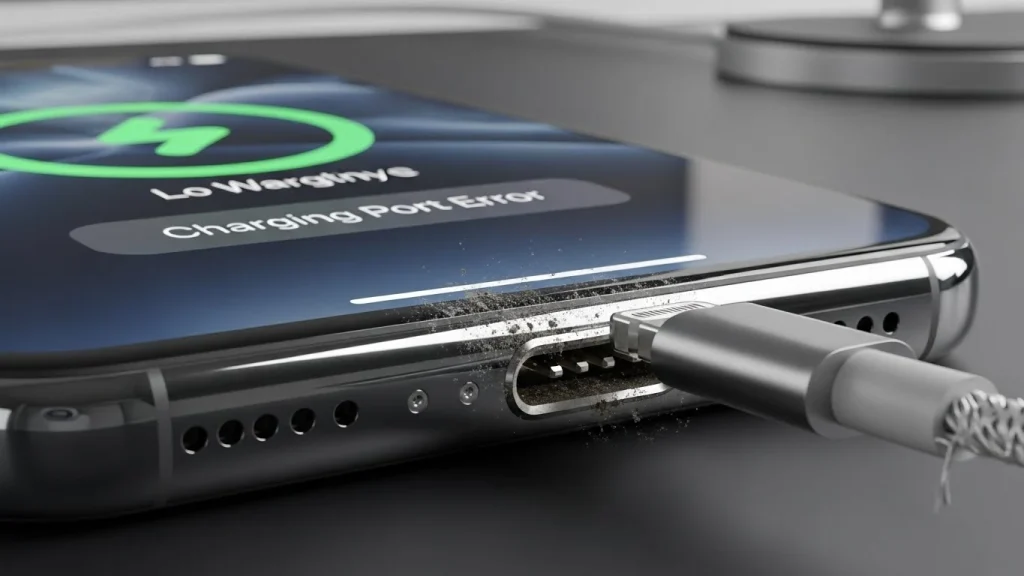
If you’re dealing with an iPhone Charging Port Not Working, you’re definitely not alone. Even in 2026, charging port problems remain one of the most common iPhone issues, and they cause instant stress. The good news? In many cases, the fix is simple. The bad news? Guessing wrong can make the problem worse.
If this feels painfully familiar, you’re not alone. Even in 2026, charging port problems remain one of the most common iPhone issues, and they cause instant stress. The good news? In many cases, the fix is simple. The bad news? Guessing wrong can make the problem worse.
So here’s the real question we hear all the time: Should you clean your iPhone charging port or repair it?
In this guide, we’ll walk through the exact causes, how to tell the difference between dirt and damage, what’s safe to try at home, and when professional repair is the smartest move. For a broader breakdown of symptoms, causes, and fixes, it helps to understand other common iPhone charging problems that may appear at the same time.
Common Reasons Your iPhone Charging Port Is Not Working
Charging issues rarely happen for just one reason. Below are the most common causes, broken down clearly so you can identify what’s actually happening with your device.
The most common causes include:
Lint, Dust, and Debris Buildup
- Pocket lint is the number one cause of charging failures
- Fibers get compacted deeper every time you plug in a cable
- Prevents the charger from making full contact with internal pins
- Often causes loose connections or intermittent charging
Normal Wear and Tear Over Time
- Charging ports are used multiple times every day
- Internal components loosen after thousands of insertions
- Leads to charging only at certain angles
- Connection may drop when the phone is moved
Liquid Exposure and Moisture Damage
- Even small splashes or humidity can affect the port
- Moisture causes corrosion on charging contacts
- Corrosion disrupts power flow and gets worse over time
- Common after rain exposure or charging in bathrooms
Bent or Damaged Charging Pins
- Internal pins are extremely delicate
- Using force or metal tools can bend them
- Misaligned pins stop the phone from charging completely
- Damage is usually permanent without repair
iOS Software or System Glitches
- Occurs after system updates or app conflicts
- Phone may fail to recognize power input
- Restarting or updating may temporarily fix the issue
- Persistent problems usually indicate hardware failure
Faulty or Non-Certified Charging Cables
- Cheap cables deliver inconsistent power
- Frayed or damaged wires interrupt charging
- Can falsely appear as a charging port issue
- Always test with a certified, known-good cable
Note: Charging port problems often go hand in hand with battery issues. If your phone charges inconsistently or overheats while plugged in, it can accelerate battery wear and lead to iPhone battery draining fast, even when the device is not in use.
Signs Your iPhone Charging Port Just Needs Cleaning
Before you assume the worst, check for these signs. If you notice several of them, cleaning might solve the problem.
- The charging cable does not click firmly into the port
- The phone only charges when the cable is held at a certain angle
- Charging starts and stops randomly
- Wireless charging works, but wired charging does not
- You can see lint, dust, or debris inside the port
Pocket lint is the number one cause here. Over time, it gets compacted so tightly that the charging cable can no longer make proper contact.
Note: If your iPhone charging port is not working and the screen also becomes unresponsive while plugged in, the issue may go beyond power delivery. In some cases, charging-related electrical problems can affect display input, similar to what we see with iPhone touch screen not working issues.
How to Safely Clean an iPhone Charging Port in 2026
Cleaning is safe only if done correctly. Doing it wrong can permanently damage the charging port.
Follow these steps carefully:
- Power off your iPhone completely
- Use a wooden toothpick or plastic pick only
- Gently scoop debris out without pushing it deeper
- Work slowly and under good lighting
- Never use metal tools, needles, or paper clips
- Never spray liquids or use compressed air
Once done, plug in a known good cable and check if the connection feels firm and consistent. If charging improves immediately, the issue was likely debris-related.
When Cleaning Is Not Enough and You Need a Repair
Cleaning helps only when debris is the problem. If the issue goes deeper, continuing to clean or force the cable can actually make things worse. The following signs strongly indicate that professional repair is required.
You likely need professional repair if:
Your iPhone Does Not Charge at All
- No charging response even with a known good cable
- Battery percentage does not increase
- Phone fails to detect power input entirely
- Indicates internal connection or port failure
Charging Port Feels Loose or Wobbly
- Cable does not sit firmly in the port
- Charging disconnects when the phone moves
- Internal mounting points may be damaged
- Common after drops or long-term wear
Device Overheats While Charging
- Phone becomes unusually warm near the port
- Charging stops suddenly due to heat
- Indicates electrical resistance or damaged components
- Can affect battery health and safety
Visible Corrosion Inside the Charging Port
- Green, white, or dark residue inside the port
- Usually caused by moisture or liquid exposure
- Corrosion blocks power flow
- Cleaning alone cannot remove internal corrosion
History of Water or Liquid Damage
- Even minor spills can affect the charging port
- Moisture seeps deeper over time
- Problems may appear days or weeks later
- Requires professional inspection and cleaning
If moisture or liquid exposure is suspected, charging port issues should never be ignored and professional iPhone water damage repair in Minnesota is often necessary when charging problems follow liquid contact.
Repeated Charging or Accessory Error Messages
- iPhone displays accessory not supported warnings
- Charging starts then stops unexpectedly
- Indicates communication failure between port and device
- Often tied to damaged or corroded port contacts
When you see one or more of these signs, the problem is no longer surface-level. At that point, professional charging port repair is the safest way to restore reliable charging without risking further damage.
Additionally, Electrical issues caused by charging port damage or corrosion can affect other internal components as well. It’s not uncommon for users experiencing charging failures to later report issues like iPhone camera not working, especially after liquid exposure.
iPhone Charging Port Repair Cost in 2026
Repair costs in 2026 vary based on model and port type, but here’s what to expect:
- Older Lightning-based iPhones typically cost less to repair
- Newer USB-C iPhones may cost slightly more due to part complexity
- Same-day in-store repairs are usually affordable and fast
- Mail-in repairs often take longer and cost more
- Professional repairs often include testing and warranty coverage
Trying to save money with DIY repairs often leads to higher costs later, especially if the logic board is damaged.
Risks of DIY Charging Port Repairs
Charging port replacement is one of the riskiest DIY iPhone repairs.
Here’s why:
- Charging ports are connected to fragile flex cables
- One slip can damage the motherboard
- Water resistance is usually lost after DIY repair
- No calibration or quality testing is done
- Warranty and resale value can be voided
What starts as a small issue can quickly turn into a total device failure.
Wireless Charging vs Charging Port Repair
Wireless charging can be helpful, but it’s not a real solution.
Consider these limitations:
- Wireless charging is slower than wired charging
- It generates more heat, which affects battery health
- It doesn’t support data transfer or accessories
- Many car mounts and docks require wired connections
Wireless charging is fine as a temporary workaround, but repairing the charging port is the better long-term fix.
How to Prevent Charging Port Issues Going Forward
Once your charging port works again, a little prevention goes a long way.
- Avoid charging your phone in pockets or dusty environments
- Do not charge on fabric surfaces like beds or couches
- Use certified charging cables only
- Keep your phone away from moisture and steam
- Inspect the charging port every few months
Simple habits can add years to the life of your charging port.
Conclusion
If your iPhone charging port is not working in 2026, cleaning may fix the issue, but only when debris is the cause. Once internal damage, corrosion, or looseness is involved, professional repair is the safest and smartest choice.
Don’t force the cable. Don’t guess.
A quick inspection and proper repair can save your phone, your battery, and your data.
If charging feels unreliable, it’s time to take action, before a small problem turns into a dead iPhone.