Your iPhone camera holds your memories. It captures your family photos, travel moments, vlogs, selfies, and even business content. So when the iPhone camera stops working in 2026, frustration hits hard. The screen may turn black, the flash may stop responding, or the lens may refuse to focus. The good news? Most camera failures are solvable, and in many cases, the issue isn’t as serious as it feels.
Studies show that over 70 percent of iPhone camera problems come from software-related failures, not physical damage. That means you might get your camera working again without spending money on repairs.
This guide will help you understand whether your camera issue is hardware-related or software-related, how to fix it, what causes it, repair costs, and warning signs to watch for.
Common Signs Your iPhone Camera Is Not Working
iPhone camera failure doesn’t always appear the same way. Here are the most common symptoms you may see in 2026:
- Camera opens to a black screen
- Blurry or foggy photos even after cleaning
- The app freezes or crashes
- Only one camera (front or rear) works
- Flash not firing or missing from settings
- Portrait mode refuses to focus
- Shaky camera footage
- Camera app refuses to open
- Lines or discoloration on photos
These clues help determine whether the problem is internal damage or just a software glitch.
Note: If your iPhone is lagging, freezing, or responding slowly read our full guide on iPhone touch screen not working problems to troubleshoot that side of the problem.
Software Reasons Why Your iPhone Camera Isn’t Working
More than half of camera issues in 2026 are caused by software conflicts. The camera relies heavily on iOS communication, system permissions, and app functions.
Here are leading software triggers:
- iOS update bugs: New updates sometimes break camera performance.
- Outdated operating system: Older iOS versions may stop supporting features.
- Corrupted camera app files: Data conflict breaks functionality.
- Permission issues: Other apps may restrict camera access.
- Overloaded RAM: Running too many apps leads to responsiveness issues.
- Background app interference: Messaging or social apps may block camera usage.
- Low storage capacity: The camera may refuse to save images.
- VoiceOver glitch: Known to freeze camera focus.
Additionally, a failing battery can also affect camera performance, especially during video recording or low-light shooting. Learn why this happens in our article about iPhone battery draining fast, and when it becomes a repair issue.
Hardware Reasons Behind Camera Failure
When software resets do nothing, it may be time to consider hardware.
Hardware damage symptoms include:
- Cracked camera lens
- Fog or moisture trapped inside the camera
- Main board damage
- Dropped or bent frame
- Camera module dislodged
- Broken flash wiring
- Water corrosion
- Burned solder joints
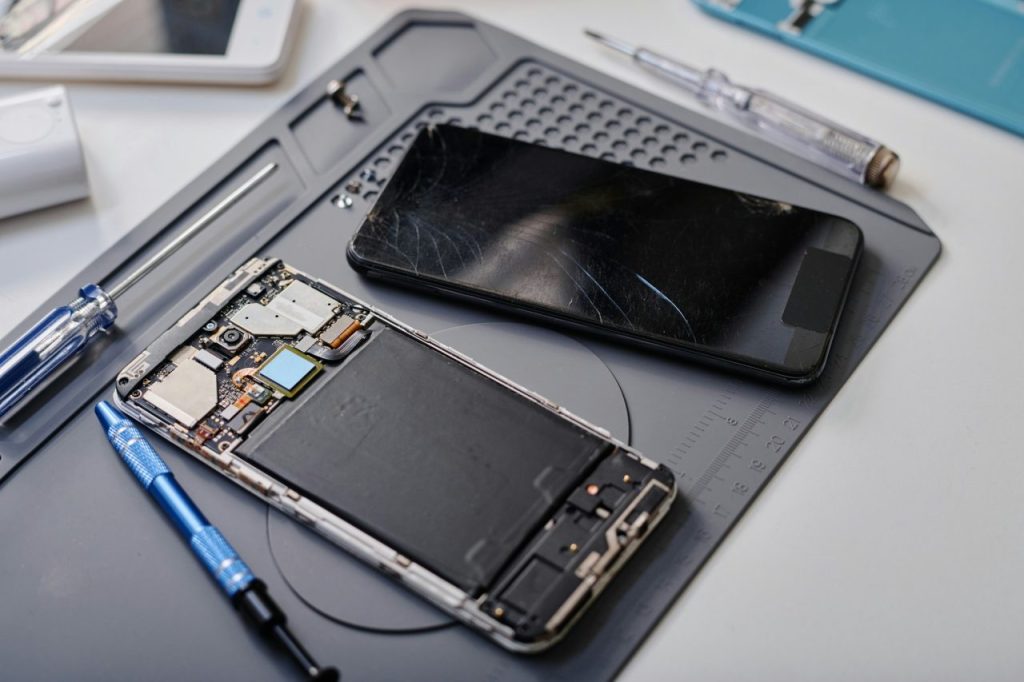
Modern iPhones use multiple lenses, OIS motors, sensors, and ribbon cables. When any part fails, the entire module may stop responding. Also, if your camera failed after a screen repair or drop damage, our full iPhone screen replacement guide explains timelines, risks, and repair steps that may link to your camera issues.
Step-by-Step Software Fixes to Try First
Before opening your wallet, perform these proven fixes:
1. Restart Your iPhone
A reboot resets background tasks and clears RAM.
2. Update to Latest iOS
Apple patches camera bugs regularly.
3. Close Background Apps
Running apps confuse resources.
4. Force Close Camera App
Swipe up and reopen.
5. Reset All Settings
This clears hidden configuration conflicts.
Settings → General → Transfer or Reset iPhone → Reset → Reset All Settings
6. Check App Permissions
Settings → Privacy → Camera
7. Free Up Storage
If storage is nearly full, the camera may not save images.
8. Turn Off VoiceOver
This feature creates camera lag.
9. Factory Reset (Last Resort)
Works when the OS has deep corruption.
If your camera starts working after these steps, it was not a hardware failure. Dropped your device and now the camera isn’t working? Impact cracks often damage internal wiring. Check our iPhone back glass replacement guide to understand how drop damage affects cameras.
When It’s Definitely a Hardware Issue
Software fixes can only do so much. If you notice the following, hardware is almost certainly damaged:
- Loud buzzing or shaking noises
- Camera works only when pressure is applied
- Fog under the glass
- Phone dropped recently
- Water exposure history
- No flash output
- Visible cracks
- Purple or grey photo streaks
- Camera not detected by apps
These issues require replacement parts or professional repair.
iPhone Models Most Affected in 2026
Certain models show more frequent camera problems:
- iPhone 12 & 12 Pro: Sensor stabilization failure
- iPhone 11 series: Autofocus breakdown
- iPhone X–XS: Face ID camera ribbon tearing
- iPhone 13 Pro: Lens flutter
- iPhone 14/15: Overheating and camera blackout
- Older SE models: Dust infiltration
New iPhones include more moving parts. More complexity equals more failure points.
Cost to Repair iPhone Camera Hardware in 2026
Repair prices vary depending on model, damage type, and part quality. If your lens is scratched, cracked, or foggy, you may need a lens replacement instead of a whole camera module. Our iPhone camera lens replacement cost guide explains pricing and repair steps.
Here are estimated ranges seen across repair shops:
- Rear camera replacement: $119–$349
- Front camera replacement: $89–$229
- Lens glass replacement: $70–$149
- Motherboard repair: $150–$350+
- Water damage treatment: $99–$229
Apple repairs cost the most, while third-party repair shops remain more affordable.
Preventing Future Camera Failure
With correct habits, you can dramatically reduce camera failures:
- Use shock-proof cases to protect the camera
- Avoid placing phone near moisture so camera doesn’t absorb it.
- Don’t overload internal storage and clean up your storage after every 2-3 months.
- Keep apps updated. Whenever there’s a new update, don’t forget to do it on time.
- Avoid cheap magnetic mounts, as they can damage your camera lens.
- Clean lens with microfiber and don’t use any other harsh material.
- Store phone in cool temperature.
- Avoid third-party charging bricks. As, Camera failure often comes alongside charging port or motherboard issues. If you’re facing multiple symptoms, explore our guide to common iPhone charging problems for deeper causes.
Smart usage improves lifespan and lens clarity.
Final Hardware vs Software Decision Guide
Still unsure about what type of problem you’re dealing with? Use this checklist:
Probably Software
- Started after an update
- Restart fixed temporarily
- Only one app affected
- No physical signs
Probably Hardware
- Visible lens damage
- Camera shaking noise
- Water exposure
- Camera not recognized anywhere
If the hardware list matches your issue, repairs are unavoidable.
Why Choose Helpertech for iPhone Camera Repair in 2026?
Helpertech makes iPhone camera repair fast and reliable. Our trained technicians diagnose both software and hardware issues, and most repairs are completed the same day.
What you get with Helpertech:
- Same-day and walk-in repair service
- Free diagnostics
- Upfront, honest pricing
- High-quality camera parts
- Warranty on parts and labor
Whether your camera is blacking out, shaking, blurry, or not opening at all, we’ve repaired these problems thousands of times for every iPhone model from X to 15. If you are near Minnesota and need same-day help, visit our iPhone camera repair in Eagan page for directions, hours, and repair details.
If you want a quick, trusted, and affordable fix in 2026, Helpertech is the right place to bring your iPhone back to life. 📸✨
Conclusion
If your iPhone camera is not working in 2026, don’t panic. Most issues come from software errors, iOS glitches, and permission conflicts, and these can be fixed at home. Start by trying all reset, update, and storage steps.
However, if you notice shaking vibration sounds, fog under glass, random streaking, or black screens, you’re most likely dealing with hardware failure. In those cases, a repair shop can quickly diagnose and replace modules, lenses, or ribbon cables.
Your iPhone camera remains one of the most advanced smartphone systems ever built. With the right approach, you can revive it, avoid permanent loss, and keep capturing the world in sharp detail.