Introduction
Your iPhone battery does not suddenly fail one day. It slowly gives you signals, faster drain, random shutdowns, overheating, and performance drops that make even simple tasks frustrating. In 2026, this problem is more common than ever. AI driven features, background apps, 5G usage, and heavier multitasking are pushing iPhone batteries harder than Apple originally designed them for.
Apple states that most iPhone batteries are designed to retain up to 80 percent capacity after about 500 full charge cycles. For many users, that threshold arrives much sooner than expected. If your iPhone dies at 20 or 30 percent, struggles to last a full workday, or feels unusually warm, chances are your battery is at the end of its useful life.
This complete iPhone battery replacement guide for all models in 2026 will walk you through how iPhone batteries work, warning signs to watch for, costs by model, DIY versus professional replacement, and how to extend the life of your new battery. If you want your iPhone to feel fast and reliable again, you are in the right place.
How iPhone Batteries Work in 2026

iPhones use lithium ion batteries, which are efficient but naturally degrade over time.
Key things affecting battery health in 2026 include
- Repeated charge cycles from daily fast charging
- Constant background activity from AI powered apps
- Heat generated by gaming, navigation, and video streaming
- High brightness displays and always on features
As battery capacity drops, iOS may limit peak performance to prevent unexpected shutdowns. This is why older batteries often make iPhones feel slow even when everything else is working fine. Many users mistake battery failure for software bugs or common iPhone charging problems, when the real issue is a worn out battery struggling to deliver stable power.
Signs Your iPhone Battery Needs Replacement
Most iPhones give clear warnings long before the battery completely fails. The problem is that many users ignore these early signs and continue using a degraded battery, which leads to worse performance and higher risk of sudden failure.
1) Battery health below 80 percent
When battery health drops below 80 percent, your iPhone can no longer hold enough charge to support normal daily usage. Apps drain power faster, charging becomes inconsistent, and iOS may automatically limit performance to prevent shutdowns. At this stage, replacing the battery is strongly recommended.
2) Sudden shutdowns with battery remaining
If your iPhone turns off even though it shows 20, 30, or even 40 percent battery, the internal cells are no longer delivering stable power. This is one of the clearest indicators of battery failure and often happens during tasks like camera use, navigation, or video calls.
3) Rapid battery drain during light use
A healthy iPhone battery should last several hours with basic activities like texting, browsing, or social media. If your battery drops dramatically within minutes of light use, even after a full charge, the battery capacity has significantly degraded.
4) Overheating while charging or scrolling
Excess heat is a serious warning sign. A failing battery generates more heat during charging and even during simple actions like scrolling or watching videos. Persistent overheating not only affects battery life but can also damage internal components if ignored.
5) Slower performance or lag during normal tasks
Apple’s performance management system may throttle your iPhone when the battery cannot deliver consistent power. This can cause apps to load slowly, animations to stutter, and the phone to feel unresponsive. Many users mistake this for aging hardware when the real issue is the battery.
If you are experiencing two or more of these symptoms, battery replacement is no longer optional, it is necessary. Replacing the battery restores stability, improves performance, and prevents unexpected shutdowns that can disrupt your day..
iPhone Battery Health Explained
Apple makes it easy to check battery health, but many users misunderstand what the numbers mean.
Important points to know
- Maximum capacity shows how much charge your battery can hold compared to new
- Below 80 percent usually means noticeable performance loss
- Peak performance warnings indicate throttling is active
- Health readings can lag behind real world performance issues
Even if your battery health says 82 or 83 percent, real usage may already feel unreliable. Learn more about why your iPhone battery draining fast in 2026.
iPhone Battery Replacement Cost by Model in 2026
iPhone battery replacement cost in 2026 depends on several factors, including the model you own, battery size, and the quality of the replacement battery used. While prices vary, one thing remains consistent, replacing your battery is far more affordable than replacing your phone.
1) Older iPhone models usually cost less to replace
Older iPhone models typically have smaller batteries and simpler internal layouts. This means fewer labor hours and lower overall replacement costs. For users holding onto older devices, a battery replacement can significantly extend the phone’s life for a fraction of the cost of upgrading.
2) Newer models have larger, more complex batteries
Newer iPhones feature higher capacity batteries, layered internal designs, and stronger adhesives. These changes improve performance and durability but also increase repair complexity. As a result, battery replacement for newer models may cost slightly more due to additional labor and testing requirements.
3) OEM versus high quality aftermarket batteries
OEM batteries are designed to match Apple’s original specifications, while high quality aftermarket batteries are built to meet or exceed performance standards at a more affordable price point. The key difference is quality. Cheap batteries often degrade quickly, swell, or cause overheating issues, while properly sourced batteries deliver reliable performance and long term safety.
4) Labor and post repair testing
Professional battery replacement includes more than just swapping parts. Skilled labor, proper calibration, safety checks, and post repair testing all ensure your iPhone performs correctly after the replacement. This step is critical to avoid charging issues, inaccurate battery readings, or performance throttling.
In most cases, iPhone battery replacement is one of the most cost effective repairs you can make. It restores battery life, improves speed, and gives your device a second life without the expense of buying a new phone. At Helpertech, transparent pricing and quality batteries ensure you get real value, not short term fixes. far cheaper than upgrading to a new phone and delivers immediate performance improvement.
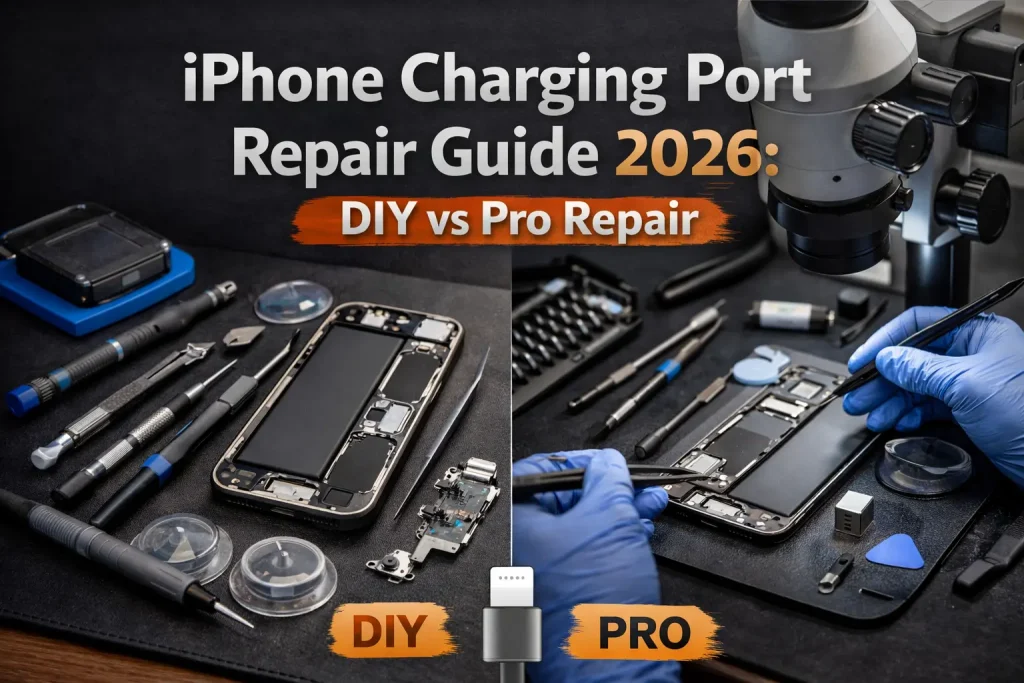
DIY iPhone Battery Replacement vs Professional Repair
Many people consider DIY battery replacement after watching a few videos online. While it can work, the risks are real.
DIY replacement risks
- Damage to Face ID or internal flex cables
- Loss of water resistance
- Poor quality batteries swelling or failing early
- No warranty or post repair testing
Professional replacement benefits
- Proper tools and experience
- High quality tested batteries
- Safe handling of lithium ion cells
- Warranty backed repairs
For most users, professional battery replacement is safer, faster, and more reliable. Just like screen repairs, choosing between DIY and professional service matters. Our breakdown of DIY vs professional iPhone repair shows why experience and proper tools make a huge difference.
Model Specific Battery Replacement Considerations
Not all iPhones are built the same on the inside. Apple has changed internal layouts, connectors, and repair methods multiple times over the years. These differences play a major role in how safely and successfully a battery replacement can be completed.
1) Older iPhones are easier to open and repair
Earlier iPhone models generally have simpler internal designs with fewer layered components. Battery access is more straightforward, and there is less risk of damaging surrounding parts during removal. This makes battery replacement faster and typically less expensive on older devices.
2) iPhone X and newer models require careful cable handling
Starting with the iPhone X, Apple introduced more complex internal layouts with tightly packed flex cables for Face ID, display, and sensors. Improper handling can damage these cables, leading to expensive secondary repairs or permanent feature loss. Precision and experience are critical at this stage.
3) Newer models use stronger adhesives and layered components
Modern iPhones rely heavily on industrial grade adhesives to improve durability and water resistance. These adhesives must be softened and removed correctly to avoid cracking the display or bending internal components. Battery removal often involves navigating multiple layers, increasing repair complexity.
4) Battery connectors and layouts change frequently
Apple frequently updates battery connectors, cable routing, and internal positioning between models and generations. A technique that works on one iPhone may not apply to the next. Using incorrect methods or tools can result in connector damage or unstable battery performance.
This is why experience matters when replacing batteries across multiple iPhone generations. At Helpertech, our technicians work with iPhones of all models every day, ensuring each battery replacement is handled with the right tools, techniques, and care your specific device requires. If you are looking for fast, local service, Helpertech offers iPhone battery replacement near Apple Valley with same day turnaround for most models.
How Long Does iPhone Battery Replacement Take
One of the biggest concerns iPhone users have before booking a repair is time. Most people rely on their phone for work, navigation, communication, and daily tasks, so being without it for long is not an option. The good news is that battery replacement is one of the fastest iPhone repairs available.1) Most professional replacements take 30 to 60 minutes
For the majority of iPhone models, a professional battery replacement can be completed within 30 to 60 minutes. Experienced technicians follow a proven process that allows the battery to be replaced efficiently without compromising safety or quality.
2) Same day service is common for most models
In most cases, iPhone battery replacement is completed the same day, often while you wait. Walk in service is usually available, and appointments help reduce wait times even further. This makes it easy to fit the repair into a busy schedule.
3) Newer models may take slightly longer due to design complexity
Newer iPhones have more compact internal layouts, stronger adhesives, and additional components that must be handled carefully. While these models may take a bit longer, the difference is usually minimal and still well within same day service.
4) Final testing ensures safe performance and accurate battery readings
After installation, the battery is tested for charging behavior, temperature stability, and accurate battery health readings. This step is essential to ensure your iPhone performs reliably and safely before it is returned to you.
In most cases, you can wait in store, grab a coffee, or run a quick errand while the repair is completed. At Helpertech, fast turnaround times mean you get your iPhone back quickly, fully tested, and ready for all day use.
Safety Tips Before Replacing an iPhone Battery
iPhone battery replacement involves more than just swapping a part. Lithium ion batteries store a significant amount of energy, and improper handling can lead to serious safety risks. Taking the right precautions protects both your device and your personal data.
1) Back up your data before repair
Always back up your iPhone before any battery replacement. While battery repair does not normally affect data, accidents, power loss, or unexpected issues can occur. A recent backup ensures your photos, messages, and apps remain safe no matter what.
2) Never puncture or bend a battery
Lithium ion batteries are extremely sensitive to physical damage. Puncturing or bending a battery can cause it to overheat, swell, or even catch fire. If a battery resists removal, forcing it out is dangerous and should be avoided.
3) Avoid extremely cheap batteries
Very low cost batteries often lack proper quality control and safety protections. These batteries may degrade quickly, overheat, or swell after installation. Choosing a high quality battery is essential for both performance and long term safety.
4) Dispose of old batteries responsibly
Old iPhone batteries should never be thrown in household trash. They must be disposed of through approved recycling programs to prevent environmental harm and fire hazards. Professional repair shops handle battery disposal safely and responsibly.
5) Never reuse or recharge a swollen battery
A swollen or damaged battery is a serious hazard. Charging or reinstalling it can lead to failure or fire. Once a battery shows signs of swelling, it should be replaced immediately and handled by professionals.
How to Extend Your New iPhone Battery Life
Once your new battery is installed, daily habits play a major role in how long it lasts. Proper care can significantly slow battery degradation and keep your iPhone performing reliably for years.
1) Avoid charging to 100 percent overnight regularly
Keeping your iPhone at full charge for extended periods accelerates battery wear. When possible, unplug before reaching 100 percent or use charging routines that reduce time spent at full charge.
2) Use optimized battery charging in iOS
Apple’s optimized battery charging feature learns your daily routine and delays charging past 80 percent until you need it. Enabling this setting helps reduce unnecessary battery stress over time.
3) Reduce unnecessary background app activity
Apps running in the background continuously drain power. Limiting background refresh for non essential apps improves battery efficiency and reduces long term strain on the battery.
4) Avoid extreme heat and direct sunlight
Heat is one of the biggest enemies of battery health. Leaving your iPhone in a hot car, near windows, or in direct sunlight can permanently damage the battery and shorten its lifespan.
5) Limit fast charging when not needed
Fast charging is convenient but generates more heat. Using standard charging speeds whenever possible helps preserve battery health, especially during overnight or extended charging sessions.
These small changes can add months or even years to your battery lifespan. Combined with a high quality battery replacement from Helpertech, they ensure your iPhone stays reliable, fast, and ready for daily use.
Why Choose Helpertech for iPhone Battery Replacement
If your iPhone battery is failing, choosing the right repair provider matters just as much as the battery itself. This is where Helpertech stands out.
At Helpertech, we specialize in fast, safe, and reliable iPhone battery replacement for all models. Our technicians work with high quality batteries that are tested for performance, safety, and longevity.
What makes Helpertech the smart choice
- Same day iPhone battery replacement for most models
- Experienced technicians who handle all iPhone generations
- High quality batteries with proper calibration
- Thorough post repair testing
- Honest pricing with no surprises
Your iPhone should last all day again. We make sure it does. With convenient locations and same day iPhone repair services near Rosemount, Apple Valley and Bloomington, Helpertech makes battery replacement fast and stress free.
Conclusion
In 2026, iPhone battery replacement is one of the smartest upgrades you can make. It restores performance, improves reliability, and saves you from unnecessary phone upgrades. With modern iOS features pushing batteries harder than ever, replacing a worn battery is no longer just maintenance, it is essential.
If your iPhone is draining fast, shutting down unexpectedly, or slowing you down, do not wait for complete failure. A professional battery replacement can make your device feel new again.
👉 Book your iPhone battery replacement with Helpertech today and get back to all day performance, faster speeds, and peace of mind.