Introduction
According to AppleCare data, more than 70% of iPhone repairs involve screen-related issues. It is one of the most common phone repairs worldwide, and when it happens, people want fast answers. I have helped thousands of phone owners understand their options, and in this guide, I will walk you through everything you need to know about iPhone screen replacement – including cost, repair time, and OEM vs aftermarket screens.
Whether your phone has a small crack, shattered glass, ghost touches, or the screen is completely black, this guide will help you understand your repair choices clearly. Let’s dive in!
Signs You Need an iPhone Screen Replacement
Some screen issues are obvious, but others are subtle. If you notice any of the problems below, your display likely needs replacement.
- Cracks spreading across the screen
- Touchscreen delays, ghost touches, or random taps
- Black spots, dead pixels, or lines on the display
- Face ID or brightness sensor malfunction
- Flickering display or complete touch failure
Even a hairline crack can worsen with drops or pressure, so acting quickly prevents more expensive damage.
Sometimes screen issues appear alongside charging problems, especially after a hard drop. If your iPhone is failing to charge, review our guide on common iPhone charging problems.
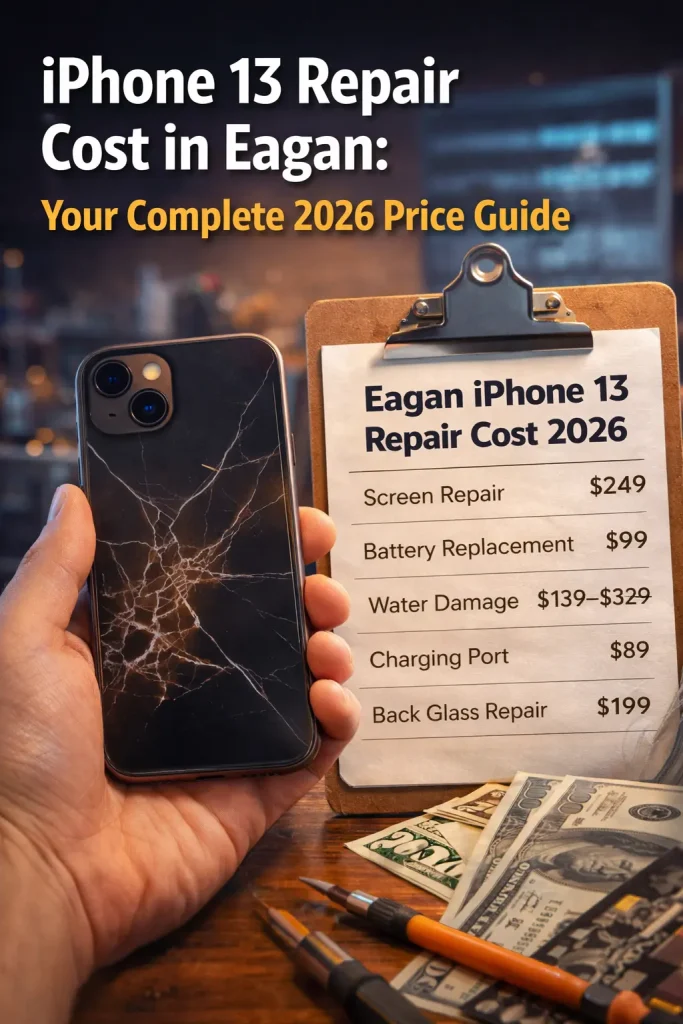
iPhone Screen Replacement Cost Breakdown
iPhone screen replacement cost varies widely depending on model, damage type, and the repair provider.
Average Cost by Model
- Older models (iPhone 7 to iPhone X) → lower cost
- Newer models (iPhone 11 to iPhone 14/15) → mid-range
- Pro/Pro Max models with OLED → highest cost
Apple Store Pricing
Apple typically charges the most but uses guaranteed OEM parts. AppleCare+ significantly reduces screen repair cost, sometimes by more than half.
Third-Party Repair Pricing
Third-party shops are usually more affordable. Pricing varies depending on whether you choose OEM-grade, premium aftermarket, or budget aftermarket screens.
What Affects Final Pricing
- Type of replacement screen (OEM vs aftermarket)
- Model of iPhone
- Technician skill and warranty offered
- Your location
Insurance & AppleCare+
If you have AppleCare+, your cost drops dramatically. Carrier insurance may also cover screen repairs, but often requires deductibles.
Screen replacement pricing can vary significantly depending on your city and model. For example, this detailed breakdown of the iPhone screen replacement cost in Eagan shows how location-based pricing works and what factors influence total cost.
OEM vs Aftermarket Screen: What’s the Difference
When replacing your iPhone screen, one of the most important decisions you’ll make is choosing between OEM (Original Equipment Manufacturer) and aftermarket screens. The quality difference between these options affects everything from brightness and color accuracy to long-term durability. Understanding how each type performs will help you choose the screen that fits your budget and expectations.
OEM Screens
OEM screens are the closest you can get to the original display your iPhone shipped with. These screens are built to Apple’s exact standards, offering premium performance and flawless compatibility.
- Best color accuracy, ensuring your photos and videos look exactly as intended
- True blacks and perfect contrast, especially with OLED displays
- Excellent touch responsiveness, identical to the original screen
- Long-term durability, providing consistent performance over years
OEM screens are the ideal choice for users who want the same high-quality experience as a brand-new iPhone.
Aftermarket Screens
Aftermarket screens come from third-party manufacturers and vary widely in quality. They are available in multiple types, each offering different levels of performance and pricing.
- Soft OLED – the closest match to OEM quality with deep colors and flexible construction
- Hard OLED – bright and sharp, but slightly more rigid and prone to cracking under pressure
- LCD – the most affordable option, but with lower brightness, weaker contrast, and less accurate color
Aftermarket screens are popular for their cost savings and availability, especially if you’re repairing older models or working within a budget.
OEM Pros
OEM screens offer premium performance and reliability.
- Perfect brightness, color, and touch accuracy, identical to the original iPhone display
- Best compatibility with Face ID, True Tone, and all sensors
- Longest lifespan, maintaining quality over time
- Reduced risk of touch issues or flickering, thanks to higher manufacturing standards
OEM Cons
While OEM screens deliver outstanding performance, there are a few limitations.
- Higher cost, especially for newer iPhone models
- Limited availability outside Apple, making them harder to source through third-party repair shops
- Repairs may take longer because OEM parts are often on back-order
Aftermarket Pros
Aftermarket displays offer flexibility and affordability.
- More affordable, ideal for users on a budget
- Multiple quality levels to choose from, including soft OLED, hard OLED, and LCD options
- Fast availability, since many repair shops keep large quantities in stock
- Great option for older models where OEM investment may not be worth it
Aftermarket Cons
Lower-cost manufacturing can lead to visible differences in performance.
- Can vary in color tone, brightness, and smoothness, depending on manufacturer
- May not last as long as OEM, especially with heavy use
- Some models may lose True Tone accuracy unless recalibrated
- Touch responsiveness may be slightly lower compared to Apple’s original display
How Long Does an iPhone Screen Replacement Take
Replacing an iPhone screen is usually much faster today than it was a few years ago. The total repair time depends on where you get the repair done, the type of screen your device requires, and whether additional internal damage is discovered during diagnostics. Below is a breakdown of average timelines so you know exactly what to expect.
Apple Store Repair Time
When you visit the Apple Store, you can expect a same-day repair in most cases. However, the process often takes longer because Apple follows a strict diagnostic and check-in procedure.
- Usually same day, but can take 3–5 hours depending on store workload
- Some stores require appointments, which may be scheduled days out
- You may need to check in the device, extending your wait time
- Apple also performs full diagnostics before and after the repair
- During busy seasons, wait times can increase significantly
Apple prioritizes repair quality and verification, so although timing is slower, the process is predictable and thorough.
Local Repair Shop Time
Local third-party repair stores typically offer the fastest turnaround because they specialize exclusively in device repairs.
- Repairs usually take 20–60 minutes, even for newer iPhones
- Walk-ins are often accepted with no appointment required
- Shops keep common parts in stock, speeding up the process
- Ideal for same-day emergencies or cracked screens affecting touch
If you want the quickest fix, local repair shops generally offer the shortest repair window.
Factors Affecting Repair Time
Even with experienced technicians, certain factors can extend or shorten the overall repair time.
- iPhone model
Newer OLED-based models, especially Pro and Pro Max versions, require more delicate handling. - Availability of premium parts
If OEM or soft-OLED parts are temporarily out of stock, the repair may be delayed. - Extent of display and frame damage
If the frame is bent or sensors are damaged, the repair takes longer because alignment must be corrected. - Internal issues
Phones with water damage or board problems may require extra diagnostics.
These factors help determine whether your repair is a quick 20-minute fix or a longer, more involved process.
Same-Day & Mobile Repair Options
Many modern repair shops now offer same-day service or mobile repair vans that come directly to your home, office, or business location.
- Mobile technicians can repair your iPhone on-site in 20–40 minutes
- No need to visit a store or wait in line
- Convenient for cracked screens, touch issues, or emergency repairs
- Some services operate 7 days a week for immediate support
This option is ideal for busy professionals, parents, or anyone who needs a fast repair without travel time.
DIY iPhone Screen Replacement: Pros & Cons
Doing an iPhone screen replacement yourself can seem appealing, especially when YouTube tutorials make it look simple. However, the process is much more technical than it appears. iPhones contain delicate sensors, thin flex cables, and ultra-precise components that can easily be damaged without proper tools and experience. Before attempting a DIY repair, here is what you should know.
Pros
DIY repairs come with a few potential benefits if you are experienced with electronics or already own the necessary tools.
- Can save money on labor costs, especially if you already have a toolkit and just need to purchase the screen assembly
- Good option if you already have repair skills, steady hands, and experience working with small components
- Offers a sense of satisfaction and control for people who prefer hands-on work
- Allows you to choose your own screen type, tools, and replacement parts
Cons
However, the risks associated with DIY screen replacement are significantly higher for the average user.
- High risk of damaging internal components, including the battery, logic board, or flex cables
- Can break Face ID or home button functionality, which cannot be restored without specialized calibration tools
- No warranty protection, meaning any mistakes become expensive to fix
- Requires precision and technical knowledge, and even small errors can cause long-term issues
- Misaligned screens can cause touch problems, gaps, or pressure damage over time
DIY screen replacement might look simple on YouTube, but one tiny slip—like puncturing the battery or tearing a sensor cable, can permanently damage your phone and make repairs even more costly.
Professional Repair vs DIY: Which Should You Choose
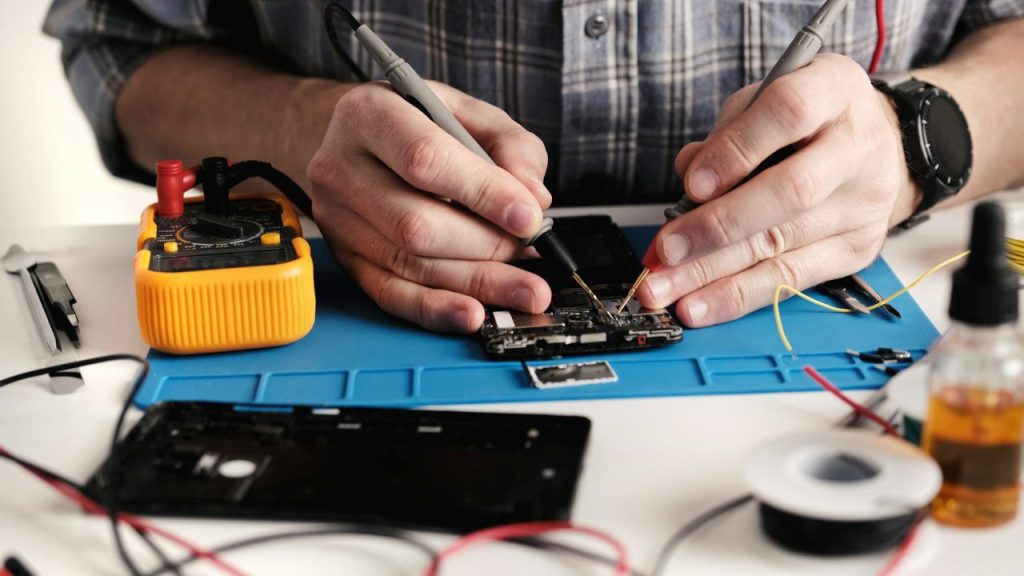
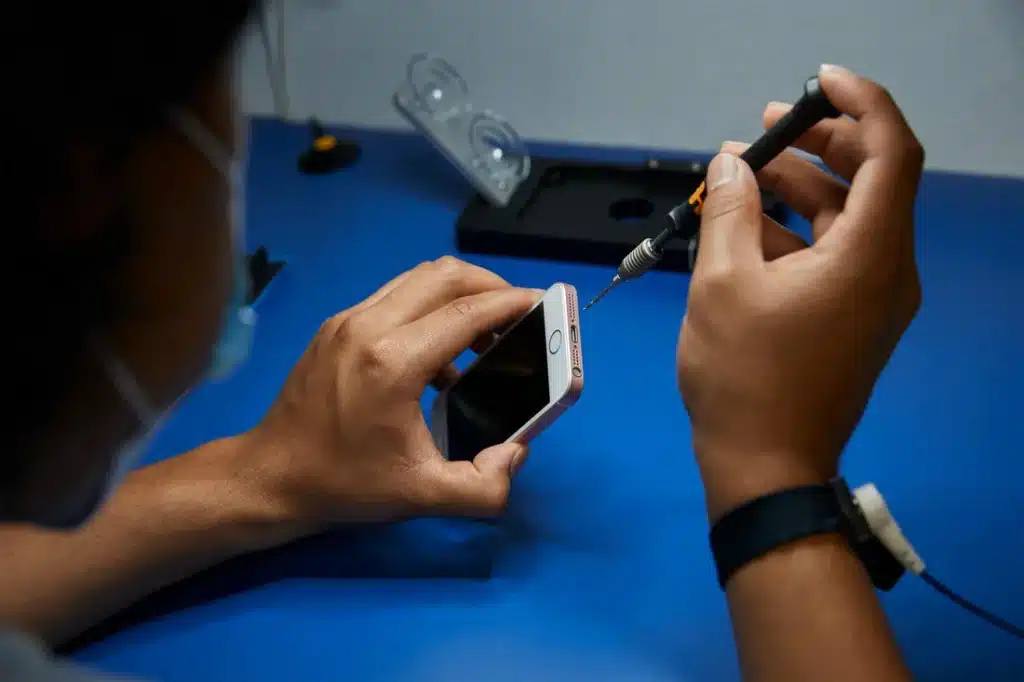
Choosing between DIY and professional repair depends on your budget, skill level, and how much risk you are willing to take. While DIY videos make the process look quick, iPhones are complex devices with tightly packed components, fragile cables, and advanced sensors. A professional repair shop offers experience, specialized tools, and warranties that most DIY repairs cannot match.
Professional Repair Advantages
Professional repairs offer reliability, consistency, and long-term protection that DIY repairs rarely provide.
- Expert technicians handle delicate components, reducing the chance of accidental damage
- Warranty on parts and labor, giving you security if something goes wrong after the repair
- High-quality OEM or OEM-grade parts, ensuring proper compatibility and long-lasting performance
- Less risk of long-term damage, including issues with brightness, touch sensitivity, or Face ID
- Shops perform diagnostics before and after repairs, catching hidden issues DIY repairs often miss
DIY Limitations
DIY repairs may seem cheap upfront, but the risks can outweigh the savings if anything goes wrong.
- No warranty, so any mistakes or screen defects must be paid for again
- Cheap parts may fail quickly, showing discoloration, dim brightness, or touch issues
- Higher risk of flex cable damage or motherboard issues, especially for beginners
- Face ID, home button, and True Tone can break permanently without proper calibration tools
- A misaligned screen or loose screws can cause long-term performance issues
DIY repairs might save money in the moment, but the long-term risks make professional repair the safer and more dependable choice for most users.
How to Choose the Right Repair Shop
Choosing the right repair shop can make the difference between a flawless, long-lasting screen repair and a frustrating experience filled with issues. Not all repair shops use the same quality of parts or follow the same standards, so you want to be sure you’re trusting your iPhone with professionals who know exactly what they’re doing. A reliable shop will be transparent, experienced, and focused on your satisfaction, not just the sale.
Look for Certified or Experienced Technicians
Your iPhone contains fragile components, sensors, and micro cables that require skilled handling.
- Choose shops with certified or highly experienced technicians
- Look for expertise in repairing newer iPhone models, especially OLED and Pro series
- Ask how many iPhone repairs they complete weekly
Ensure They Provide Warranty on Both Parts and Labor
A trustworthy repair shop should stand behind their work.
- Warranty shows confidence in their repair quality
- Protects you if the screen has defects or performance issues later
- Avoid shops that offer “no warranty” or vague promises
Ask if Parts Are OEM, Soft OLED, or LCD
Not all screens are created equal, and the type of display you choose affects brightness, color, and durability.
- OEM or premium soft OLED offers the best performance
- Hard OLED is bright but more rigid
- LCD is budget-friendly but lower in quality
- A good shop will explain the pros and cons honestly
Check Repair Shop Reviews and Customer Satisfaction
Online reviews tell you more than ads ever will.
- Look for consistent 5-star ratings
- Pay attention to repeat customers mentioning reliability and honesty
- Avoid shops with complaints about rude staff, poor-quality parts, or rushed repairs
Be Clear About Pricing Before Handing Over Your Phone
Transparent pricing is a key sign of a reputable shop.
- Ask for a complete breakdown: screen type, labor, taxes, and warranty
- Avoid shops that change the price after opening the device
- Clear communication prevents surprises and builds trust
Why Choose Helpertech for Your iPhone Screen Replacement
Helpertech has built a reputation across Minnesota as one of the most trusted names in iPhone repair. Instead of upselling you on unnecessary options, we give you clear choices so you can pick the screen type that fits your budget and quality needs.
Here is why thousands of customers choose Helpertech:
- Highly experienced technicians who repair iPhones all day, every day
- Fast turnaround, usually 20–60 minutes for screen replacements
- Premium OEM-grade and soft OLED screens for top-tier performance
- Clear, upfront pricing with no hidden fees
- Warranty on both parts and labor, giving you complete peace of mind
- Locations across Minnesota plus mobile repair services for ultimate convenience
From cracked screens to touch issues to full display replacements, Helpertech ensures your repair is done right the first time.
If you want a repair shop that values honesty, quality, and customer satisfaction, Helpertech is the smart choice. If you’re located in Bloomington, Apple Valley, or Rosemount, you can find extremely fast options in this overview of same-day iPhone repair services in those areas.
Tips to Protect Your New Screen After Replacement
Once your iPhone screen has been repaired, protecting the new display is essential to make sure it lasts. Even the highest-quality OLED or OEM screen can crack again if you’re not careful. With a few smart habits and the right accessories, you can keep your phone looking brand new and avoid another expensive repair.
Use a High-Quality Tempered Glass Screen Protector
A tempered glass protector acts as the first line of defense.
- Absorbs the impact from drops and prevents cracks
- Protects against scratches from keys, coins, and daily wear
- Easy and inexpensive to replace compared to another full screen repair
- Choose a protector with edge-to-edge coverage for maximum safety
Invest in a Shock-Absorbing Case
A case with reinforced edges can dramatically reduce damage risk.
- Look for cases with shock-absorbing corners or military-grade drop ratings
- Silicone, TPU, or hybrid cases offer excellent grip and protection
- Avoid ultra-thin cases that look nice but offer no real impact resistance
- A raised lip helps protect your display if the phone lands face-down
Avoid Pressure in Pockets, Backpacks, or Car Holders
Constant pressure can weaken your screen over time.
- Do not keep your phone in tight pants pockets where bending occurs
- Avoid stuffing it at the bottom of backpacks with heavy items on top
- Cheap car mounts can squeeze the edges and cause micro-cracks
- Use padded compartments or phone sleeves for safe storage
Keep Your Phone Away from Extreme Heat or Cold
Temperature changes affect screen durability and performance.
- Extreme heat can weaken adhesives and cause touch issues
- Cold temperatures make glass more brittle and prone to cracking
- Never leave your phone in a hot car, near heaters, or outside in winter
- Quick temperature shifts increase stress on the display
Clean With a Microfiber Cloth to Avoid Scratches
Proper cleaning keeps your display smooth and clear.
- Microfiber prevents micro-scratches caused by rough fabrics
- Avoid paper towels or tissue, they can cause abrasions
- Use a gentle alcohol-free screen cleaner
- Regular cleaning prevents oil buildup that attracts dust and grit
Following these habits will help extend the life of your new display. Treat your phone with care and pair your repair with the right protective accessories to avoid future damage and keep your iPhone looking flawless. And if your iPhone suffered liquid damage before or during a screen failure, review this iPhone water damage repair guide for Minnesota to avoid further complications.
FAQs
Can I replace my iPhone screen myself?
How much should an iPhone screen replacement cost?
Do-it-yourself rescreening?
Is it worth fixing a cracked iPhone screen?
Conclusion
Cracking your iPhone screen is frustrating, but getting it fixed doesn’t have to be complicated. Now you understand the true cost, how long a repair takes, and the differences between OEM and aftermarket screens. Whether you choose the Apple Store, a trusted local repair professional, or even DIY, the right decision depends on your budget, timing, and quality expectations.
Remember to protect your new screen with a case and tempered glass, and choose a repair option that gives you reliability, warranty, and long-term durability. Your iPhone deserves the best care!