
Introduction
DIY vs Professional iPhone Repair: Deciding between fixing your iPhone yourself or taking it to a professional repair service can save you hundreds of dollars, or cost you even more if something goes wrong. With Apple’s Self Service Repair program now in its third year and third-party repair options more accessible than ever, understanding the true costs and risks of each approach has never been more important.
Americans spent over $4 billion on smartphone repairs in 2025, with iPhone repairs accounting for nearly 60 percent of that market. A single wrong decision about how to fix your cracked screen or dying battery can mean the difference between a $50 successful repair and a $1,000 paperweight. Beyond immediate costs, your repair choice affects warranty status, device longevity, resale value, and data security.
This comprehensive guide examines every angle of the DIY versus professional repair debate, providing the detailed cost breakdowns, risk assessments, and practical decision-making frameworks you need to choose the repair approach that makes sense for your specific situation, technical abilities, and budget constraints.
Understanding iPhone Repair Options in 2026
The smartphone repair landscape has evolved significantly. Whether you’re dealing with a cracked screen, battery replacement, charging port issues, or water damage, you now have more choices than ever for getting your device fixed.
What Counts as DIY iPhone Repair?
Do-it-yourself iPhone repair means personally replacing damaged components using repair kits, tools, and parts purchased online. This includes everything from simple battery swaps to more complex screen replacements and camera module repairs. Apple’s Self Service Repair program has made genuine parts more accessible to consumers, while third-party suppliers continue offering aftermarket alternatives at lower price points.
Professional Repair Service Options
Professional iPhone repair encompasses several distinct categories. Apple Store and Apple Authorized Service Provider repairs use genuine OEM parts and maintain your warranty status. Independent repair shops offer competitive pricing with varying quality levels depending on whether they use genuine, aftermarket, or refurbished components. Mobile repair technicians provide on-site convenience, bringing expertise directly to your location.
Quick Comparison: DIY vs Professional Repair at a Glance
| Factor | DIY Repair | Professional Repair |
|---|---|---|
| Screen Replacement Cost | $30-$150 (aftermarket) / $200-$350 (genuine) | $80-$400 depending on provider |
| Battery Replacement Cost | $15-$90 | $40-$100 |
| Tool Investment | $10-$100+ initial purchase | None (included in service) |
| Time Required | 1-4 hours (first attempt) | 30 minutes – 2 hours |
| Skill Level Needed | Moderate to Advanced | None required |
| Success Rate | 60-85% for beginners | 95-99% for reputable shops |
| Warranty Impact | Voids manufacturer warranty | Maintains warranty (if authorized) |
| Part Quality | Variable (your choice) | Depends on provider |
| Risk of Device Damage | Moderate to High | Very Low |
| Learning Value | High | None |
| Convenience | Requires research & effort | Drop off and pick up |
| Best For | Older devices, tech-savvy users, budget constraints | Newer devices, warranty coverage, guaranteed results |
Cost Analysis: Breaking Down the Real Numbers
Understanding the complete financial picture requires looking beyond the sticker price of replacement parts.
DIY Repair Costs in 2026
When you choose to repair your iPhone yourself, expect to invest in several areas.
- Replacement parts vary dramatically in price, a third-party iPhone screen can cost anywhere from $30 to $150, while genuine Apple screens through the Self Service Repair program run $200 to $350 depending on your model.
- Battery replacements range from $15 for aftermarket options to $90 for genuine Apple batteries. If you’re considering tackling this repair yourself, our detailed iPhone battery replacement guide walks through every step with photos and troubleshooting tips.
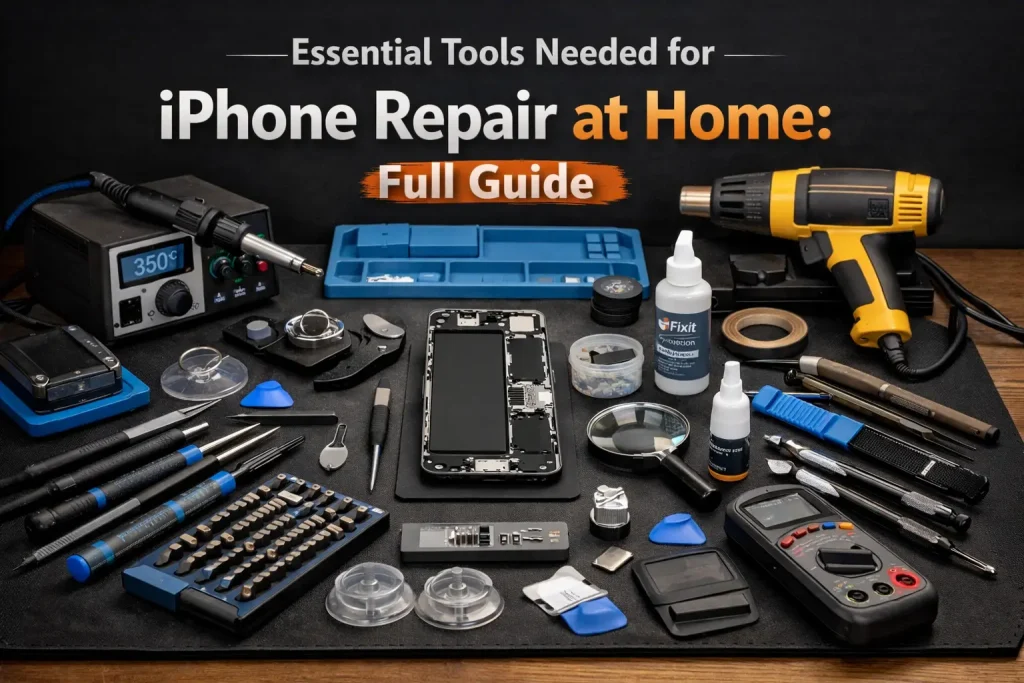
- Tool investment represents another consideration. Basic repair kits with screwdrivers, prying tools, and suction cups cost $10 to $30, while professional-grade toolsets can exceed $100. Specialty tools like screen separators, microscopes for microsoldering work, or heated plate tools add significantly to upfront expenses.
- Hidden costs often catch DIY repairers off guard. Adhesive strips, screen protectors to replace the factory-sealed display assembly, and replacement screws if originals strip or get lost add $5 to $20 per repair.
- Most importantly, the risk of damaging your device during repair could mean a total loss worth hundreds or thousands of dollars.
Professional Repair Pricing
Professional repair services offer more predictable pricing structures.
- Apple Store and authorized service providers charge premium rates—screen repairs typically cost $200 to $400, while battery replacements run $80 to $100. These services include warranty coverage and guaranteed genuine parts.
- Independent repair shop pricing sits considerably lower, with screen replacements averaging $80 to $200 and battery swaps costing $40 to $70.
- The wide price range reflects differences in part quality, technician expertise, and shop overhead costs. Mobile repair services add convenience fees, typically costing 20 to 40 percent more than in-shop repairs but saving you travel time.
- Many professional services include warranties ranging from 30 days to lifetime guarantees on their work, providing financial protection if the repair fails.
Risk Assessment: What Could Go Wrong?
Every repair approach carries distinct risks that extend beyond immediate financial costs.
DIY Repair Risks and Challenges
Technical complexity varies significantly across different iPhone repairs.
- Battery replacements rank among the simpler procedures, requiring careful attention to adhesive removal and connector handling.
- Screen repairs involve more delicate work with fragile digitizer cables and precise adhesive placement. Our comprehensive iPhone screen replacement guide covers the complete process from start to finish.
- Camera replacements, charging port repairs, and logic board work demand advanced skills including microsoldering capabilities for many issues.
Warranty implications deserve serious consideration. Any unauthorized repair, including DIY work, voids Apple’s limited warranty and AppleCare+ coverage. This means a $50 DIY battery replacement could cost you thousands if subsequent unrelated failures occur during your warranty period.
Component compatibility issues frequently frustrate DIY repairers. Aftermarket parts may not integrate properly with iOS features—third-party screens often lose True Tone functionality, display quality varies from genuine parts, and Face ID stops working if the original display assembly isn’t preserved. Cheap replacement batteries may not communicate proper battery health data to iOS, triggering persistent service warnings.
Permanent device damage represents the most significant risk.
Common mistakes include:
- Severing ribbon cables while prying open the device.
- Cracking the rear glass while opening sealed enclosures.
- Damaging water resistance seals that protect internal components.
- Short-circuiting logic board components during reassembly, and stripping tiny screws that secure critical components.
Professional Repair Risks
Even professional services carry some risks, though generally lower than DIY attempts. Quality variation among independent shops means some use inferior parts or employ undertrained technicians. Data privacy concerns arise when handing your device to third parties, though reputable shops maintain strict protocols. Service delays can leave you without your phone for several days, particularly if parts need ordering or repairs prove more complex than initially diagnosed.
The primary risk with authorized Apple repairs is cost—you’re guaranteed quality work but at premium pricing that may exceed your device’s remaining value for older models.
Skill Level Required: Can You Actually Do It?
Honestly assessing your capabilities prevents costly mistakes.
Skills Needed for DIY Success
Successful iPhone repair requires multiple competencies.
- Manual dexterity for handling tiny components and fragile cables is essential—if threading needles frustrates you, manipulating 0.5mm connectors will prove challenging.
- Technical understanding of smartphone architecture, component functions, and electronic principles helps diagnose issues accurately and avoid damaging sensitive parts during repair.
- Patience and attention to detail separate successful repairs from disasters. iPhone repairs often involve 30 to 50 individual steps, each requiring precise execution. Skipping steps or rushing through adhesive removal leads to broken components and failed repairs.
- Problem-solving ability matters when procedures don’t go as planned. Video tutorials show ideal scenarios, but real repairs involve stuck screws, stubborn adhesive, and unexpected complications requiring creative solutions.
Note: Understanding the differences between OEM vs aftermarket phone screens helps you make informed decisions about part quality and functionality trade-offs.
Resources for DIY Learners
Aspiring iPhone repairers have abundant learning resources available. Helpertech provides comprehensive repair guides with detailed photos and difficulty ratings for virtually every iPhone model and repair type. YouTube channels like JerryRigEverything, iPad Rehab, and Hugh Jeffreys offer video walkthroughs showing repairs in real-time. Reddit communities including r/mobilerepair and r/iPhone provide troubleshooting help when problems arise.
For practical hands-on advice, our DIY phone glass repair tips and tricks offers valuable insights for successfully completing repairs at home.
Practice on broken or obsolete devices before attempting repairs on your primary phone. Buying a non-functional iPhone of the same generation for $20 to $50 provides valuable hands-on experience without risking your working device.
Time Investment Comparison
Time represents a hidden cost often overlooked in repair decisions.
DIY Time Requirements
First-time repairs consume significantly more time than experienced technicians need. A simple battery replacement might take professionals 15 minutes but require 1 to 2 hours for your first attempt as you carefully follow each step, avoid mistakes, and handle unexpected challenges. Screen replacements often take 2 to 4 hours for beginners, while charging port repairs or more complex procedures can consume an entire afternoon or evening.
Research and preparation time adds hours before you even begin. Reading repair guides, watching tutorial videos, ordering correct parts, and gathering necessary tools typically requires 2 to 4 hours of work. If you order wrong parts or lack specific tools, you’ll lose additional days waiting for replacements.
Note: For those considering attempting the challenging repair, our iPhone back glass replacement guide provides detailed instructions, though we strongly recommend professional service for this particular repair due to its high difficulty level.
Professional Service Turnaround
Professional repair timelines vary by provider and repair complexity. Apple Store appointments with in-stock parts often provide same-day service, though busy locations may require leaving your device overnight. Independent shops typically complete screen and battery replacements within 1 to 2 hours for walk-in service. Complex repairs requiring part orders or extensive diagnostics may take 3 to 7 days.
Mobile repair services often offer same-day appointments with on-site repairs completed in 30 minutes to 2 hours while you wait, maximizing convenience despite higher costs.
Quality and Longevity Considerations
The durability of your repair affects long-term value and satisfaction.
Part Quality Differences
Component quality varies enormously across suppliers. Genuine Apple parts guarantee full functionality, proper fit, and integration with iOS features, though at premium prices through the Self Service Repair program. High-quality aftermarket parts from reputable suppliers like iFixit or Injured Gadgets offer good performance at mid-range prices, often including lifetime warranties. Budget aftermarket parts from unknown suppliers present significant quality concerns including poor touch sensitivity on screens, shortened battery lifespan, mismatched colors, and loose tolerances causing gaps or rattles.
Repair Durability
Professional repairs using quality parts typically last as long as original components. Authorized Apple repairs maintain factory specifications, while skilled independent technicians achieve comparable results with premium aftermarket parts.
DIY repairs show more variable longevity depending on your skill level and part quality. Improper reassembly can cause ongoing issues like reduced water resistance, intermittent connection problems, or premature component failure. Rushed repairs using cheap parts often fail within months, requiring costly do-overs.
When DIY Makes Sense
Certain situations favor the do-it-yourself approach despite the risks and challenges involved.
Ideal DIY Scenarios
Consider DIY repair when your device has minimal remaining value. Older iPhone models worth $100 or less present limited downside risk—even if you damage the device beyond repair during your attempt, you’ve lost little value and gained valuable learning experience.
Simple repairs like battery replacements offer high success rates for beginners. With careful attention to procedure, most people can safely swap an iPhone battery using basic tools and a $30 to $50 repair kit.
DIY repairs make sense when you have genuine interest in learning repair skills, plan to repair multiple devices, or want to develop a valuable technical hobby. The initial learning curve and tool investment pay dividends across multiple repairs.
Financial constraints sometimes necessitate DIY attempts. If you can’t afford professional repair and face the choice between attempting repair yourself or living without a working phone, the DIY risk becomes acceptable.
Best Practices for DIY Success
Maximize your chances of successful DIY repair by following proven strategies.
- Start with the easiest possible repair on your least critical device to build skills and confidence.
- Invest in quality tools rather than cheapest options, precision screwdrivers with proper bit sizes prevent stripped screws, while quality prying tools reduce case damage risk.
- Source parts from reputable suppliers with strong reviews and warranty policies. Spending an extra $20 on a proven quality screen beats saving money on a defective part that fails immediately.
- Follow detailed repair guides step-by-step without skipping stages.
- Organize screws methodically using labeled containers since different screws have specific locations and mixing them causes assembly problems.
- Take photos before disconnecting components to document proper cable routing and connector orientations.
- Work in a clean, well-lit area with a magnetic pad to prevent losing tiny screws.
- Allow adequate time without rushing—most DIY repair failures result from hurrying through complex procedures.
When Professional Repair Is Essential
Many situations make professional repair the clearly superior choice.
Scenarios Requiring Professional Service
- Device warranty coverage makes professional authorized repair mandatory. Attempting DIY work voids your warranty, potentially costing far more than professional service fees if subsequent issues arise.
- Complex repairs including water damage restoration, logic board microsoldering, Face ID repairs requiring component pairing, and back glass replacements on models where it’s fused to the frame demand professional expertise and specialized equipment unavailable to most consumers.
- Newer flagship models like iPhone 16 Pro represent significant investments worth $1,000 or more. The risk of DIY damage is simply too great given the device value and repair complexity.
Additionally, when your phone stores critical unbackedup data you can’t afford to lose, professional repair offers better odds of data preservation. Technicians follow protocols minimizing data loss risk during repairs.
Choosing the Right Repair Provider
Selecting a quality repair service requires research and evaluation. For devices under warranty, Apple Authorized Service Providers offer the safest option maintaining your coverage while using genuine parts.
Independent repair shops require more careful vetting.
- Check online reviews on Google, Yelp, and specialized sites like RepairPal, looking for consistent positive feedback and how shops handle complaints.
- Ask about warranty coverage on both parts and labor—reputable shops confidently back their work with 90-day or longer guarantees.
- Verify shops use quality parts by asking specific questions about component sourcing.
- Quality shops transparently discuss whether they use genuine, premium aftermarket, or economy parts, letting you choose based on your budget and priorities.
- Request quotes from multiple providers to understand market rates in your area and identify outliers charging unusually high or suspiciously low prices.
- Extremely low prices often indicate cheap parts or inexperienced technicians.
Note: Our guide on how to find the right mobile phone repair shop provides a detailed checklist of what to look for when evaluating local repair providers.
Insurance and Warranty Considerations
Understanding how repair choices affect coverage helps you make informed decisions.
AppleCare+ and Extended Warranties
AppleCare+ significantly changes repair economics. With AppleCare+, screen repairs cost just $29 and other accidental damage carries a $99 service fee regardless of actual repair costs. These substantial discounts make authorized repairs the obvious choice for covered devices.
Extended warranties through carriers or third-party insurers typically require using authorized repair networks. Check your policy terms before attempting DIY repairs that could void coverage.
Manufacturer Warranty Impact
Apple’s standard one-year limited warranty covers manufacturing defects but not accidental damage. Any unauthorized repair immediately voids this warranty, making DIY repairs during the first year risky for devices without AppleCare+.
Some independent repair shops now offer “manufacturer warranty safe” repairs using genuine Apple parts that preserve your warranty status, though these cost more than standard independent shop pricing.
Environmental and Right to Repair Considerations
Repair choices carry implications beyond personal costs and convenience.
Sustainability Benefits of Repair
Choosing repair over replacement significantly reduces environmental impact. Manufacturing a new iPhone generates approximately 70 kg of carbon emissions, while repairing extends device lifespan and delays resource-intensive production of replacements.
Both DIY and professional repairs support sustainability goals equally when performed successfully. The key environmental benefit comes from avoiding premature device disposal, not from who performs the repair.
Right to Repair Movement
The right to repair movement advocates for consumer ability to repair their own devices or choose independent repair providers without manufacturer restrictions. Apple has made strides with the Self Service Repair program launched in 2022, though critics argue genuine parts remain too expensive and repair manuals too complex for average consumers.
Supporting independent repair shops helps maintain competition and repair choice against manufacturer monopolization of service markets. Successful DIY repairs exercise your legal right to repair your property as you see fit.
Making Your Decision: A Practical Framework
Evaluate your specific situation using these key decision factors.
Decision Matrix
Consider device value first. For iPhones worth more than $500, professional repair minimizes risk to your investment. Devices valued $200 to $500 fall in a gray area where either option could make sense depending on other factors. Phones worth less than $200 present acceptable DIY risk given limited downside.
Assess repair complexity honestly. Battery replacements represent achievable DIY projects for careful beginners. Screen repairs require more skill and carry moderate damage risk. Charging ports, cameras, and logic board repairs demand professional expertise.
Evaluate your technical confidence realistically. If you’ve successfully completed electronic repairs, assembled computers, or worked comfortably with small precision tools, DIY repair becomes more viable. Without previous experience, starting with professional service or very simple repairs makes sense.
Consider urgency and convenience factors. If you need your phone working immediately for work or important communications, professional repair offers faster guaranteed results. DIY repair works better when you have a backup device and can afford several days without your primary phone.
Cost-Benefit Analysis Template
Calculate total DIY costs including parts, tools, your time at a reasonable hourly rate, and risk-adjusted damage probability. Compare this figure to professional repair quotes from multiple providers.
For example: A DIY iPhone 14 screen replacement costs $120 for quality parts, $25 for tools, 3 hours of your time worth $30/hour ($90), and a 15 percent chance of $400 device damage ($60 risk-adjusted cost), totaling $295. Professional repair quotes average $180 with near-zero damage risk. In this scenario, professional repair delivers better value despite higher sticker price.
Conclusion: Choose Wisely for Your Situation
Neither DIY nor professional iPhone repair universally wins the cost and risk comparison. Your optimal choice depends on device value, repair complexity, your technical skills, available resources, and personal priorities.
DIY repair makes financial sense for older devices, simple procedures, technically capable individuals, and those willing to accept failure risk in exchange for learning opportunities and cost savings. Professional repair provides better value for expensive devices, complex issues, warranty-covered phones, and situations where you need guaranteed results without damage risk.
Whether you choose DIY or professional repair, the most important thing is fixing your device rather than prematurely replacing it. Both approaches extend iPhone lifespan, reduce electronic waste, and save money compared to buying new. Your phone doesn’t need to be perfect—it just needs to work.